Hi ActivePresenter Team,
Description:
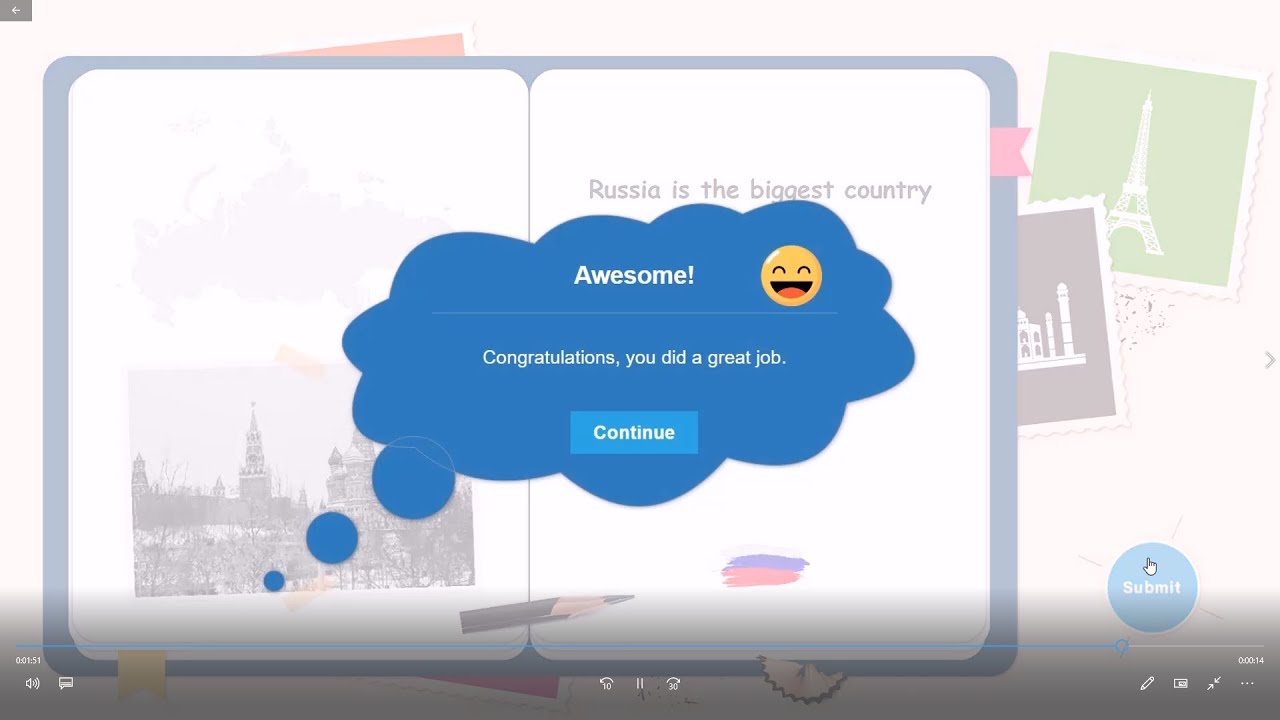
In e-learning scenarios, the response review section in the Show Responses window is extremely critical for providing learners with clear and engaging feedback. However, in the current system, the feedback popup and icons are often not visible enough or lack flexibility, which limits the effectiveness of learner feedback and the overall experience.
To improve this, we have prepared an example implementation and attached a reference video demonstrating the proposed functionality.
Proposed Enhancements:
- Icon Position Customization
- Ability to set the icon position within the popup (e.g., Bottom-Center, Top-Left, Top-Right, etc.) via a dropdown menu.
- Popup Container Styling Options
- Background Color: Choose any color or set transparency.
- Border Radius & Size: Adjust dimensions and corner rounding.
- Font Settings: Customize body text font family, size, and color for better readability.
- Animation Controls
- Add options to define appearance animations for the popup and icons (e.g., fade-in, slide, scale-up).
Example Video:
(We have attached a demo video showcasing the proposed UI and behavior for reference.)
Why This Feature Matters:
- In e-learning content, review feedback plays a key role in reinforcing learning outcomes.
- Currently, the default feedback display lacks visibility and customization, reducing its impact.
- By adding these enhancements, the application’s value will significantly increase, providing instructors and content developers with more control and improving the learner experience.
Best Regards
Thank you again for your detailed feedback.
We currently encourage users to work with Feedback Master to handle and customize the feedback layers as much as possible.
Please make sure you have mastered how to use the Feedback Master by checking our tutorials here:
We have done several eLearning games using this feature, so feel free to explore tutorials on our YouTube channel.
We understand your feature request here. We have noted it and will consider implementing it if there are more requests from users.
Thank you.
Thank you for your follow-up and for pointing us to the Feedback Master tutorials. We are already familiar with Feedback Master and its capabilities, but that’s not what this request is about.
Our feature request specifically refers to the Show Responses feature within Review Mode – the section that appears when learners review their answers after completing the quiz.
Currently, when “Show Responses” is enabled in Review Mode:
- The popup container and response icons have limited visibility and lack customization options.
- Feedback Master does not apply to this review screen, so we cannot adjust the position of icons, background styling, animations, or fonts in this context.
What we are requesting is greater customization for these elements in Review Mode, not during the original feedback display.
We hope this clarifies the difference. Your thoughts and feedback would be greatly appreciated!
As I stated at the end of my previous response, we understand your request here.
I just want to ensure in case you haven’t got used to the Feedback Master feature.
And as I stated, we will consider this feature once there are more requests from other users.
Thanks for your follow-up.
BR,
1 Like