I recorded video file in Teams. Playback of file using VLC player shows that video file quality was good. I inserted video file into ActivePresenter Pro 9 for processing and exported the video. The quality of video degraded. The color of fonts became darker and words were not as crisp. Please advice on whether there is a need to tweak settings.
Hi Sarah,
To export your video while keeping its original size, make sure both your project size and the video size in the Export dialog match.
For instance, if you import a 4K video into a project with an HD slide size in ActivePresenter:
First, adjust the slide size so it matches the video’s dimensions (Design tab > Slide Size > Preset Size > enter the 4K video size > OK).
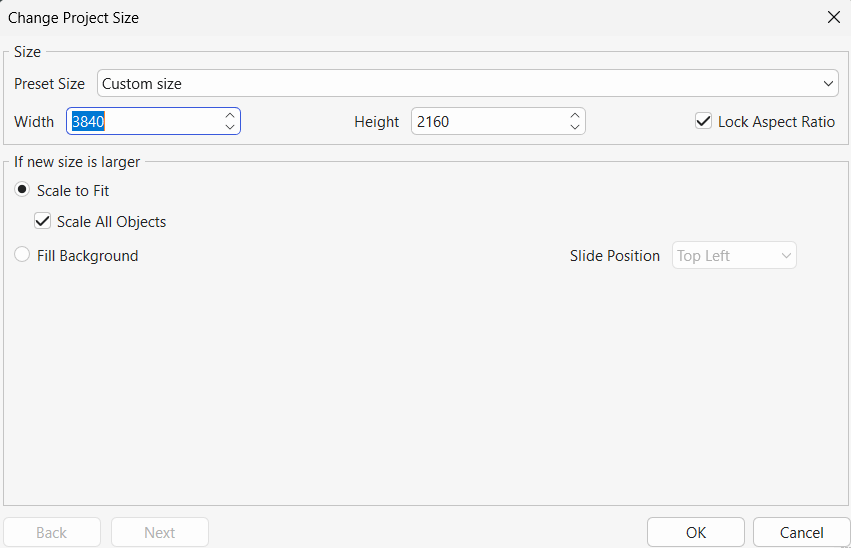
Next, in the Export to Video dialog, set the video size to 100% and ensure the width and height match the 4K resolution.
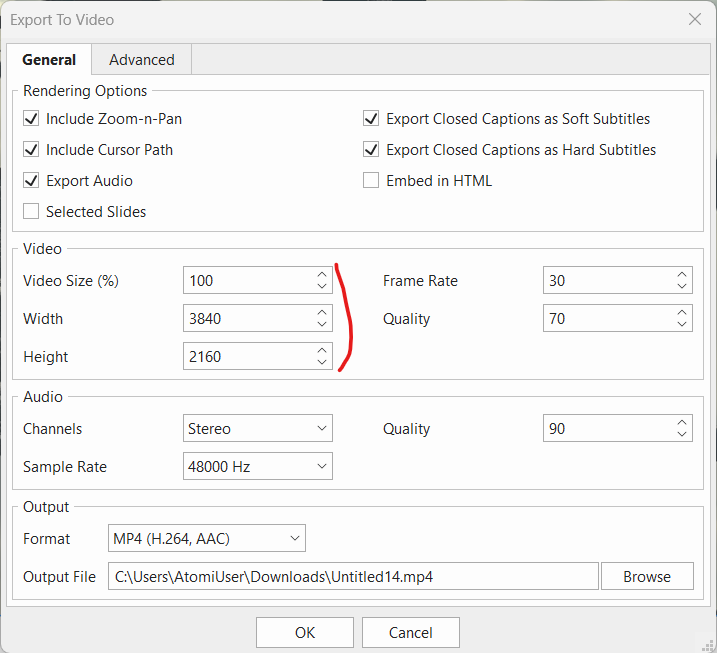
Additionally, you may consider increasing the video Quality setting if you need a higher output quality.
If that does not help, kindly share project file (and its external data folder named in the format PROJECT_FILE_files if it exists) to support@atomisystems.com so we can investigate further.
Regards,