Hi,
Here are our instructions on how to show/hide an object using a button in ActivePresenter 8:
Step 1: Hide the object (text caption) initially (Right click the object > Initially Hidden)
Step 2: Create a True/False variable. (Home tab > Variables > Add a True/False variable, I named it “1” in this example). For more information, please see How to add variables.
Step 3: Assign this variable to the On Click event of the button and add conditions to show/hide the object (text caption). See How to work with events-actions for more information.
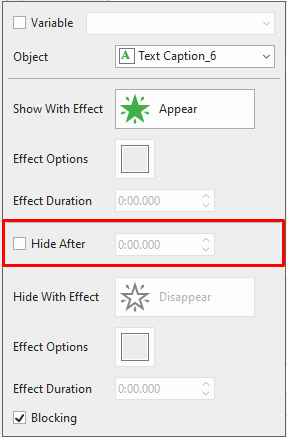
Add Show Object, Hide Object, and Adjust Variables actions to the On Click event of the button. Make sure to uncheck the Hide After option of the Show Object action.
Step 4: Uncheck the Auto Advance option of the slide (Transitions tab > Auto Advance)
Below is a sample for your reference.
show hide.approj (220 KB)
Best regards,
Hang