I downloaded the latest version of ActivePresenter and I’m experiencing an issue with Drag-and-Drop questions.
When I try to drag a source item and drop it onto a target to define the correct answer, the entire Drag-and-Drop question object moves instead of only the source item. Because of this, I cannot properly assign or configure the correct drag-and-drop answers.
It seems that the question object itself is being selected and moved rather than allowing me to interact with individual drag source items.
I recorded a short video demonstrating the issue and attached it for reference.
Could you please check whether this is a known issue in the latest version or advise if there is a setting or editing mode that I may be missing?
Thank you for reporting this issue and providing the video.
I checked the behavior on my side and confirmed that this issue occurs in the current version. I have forwarded it to our development team for further investigation.
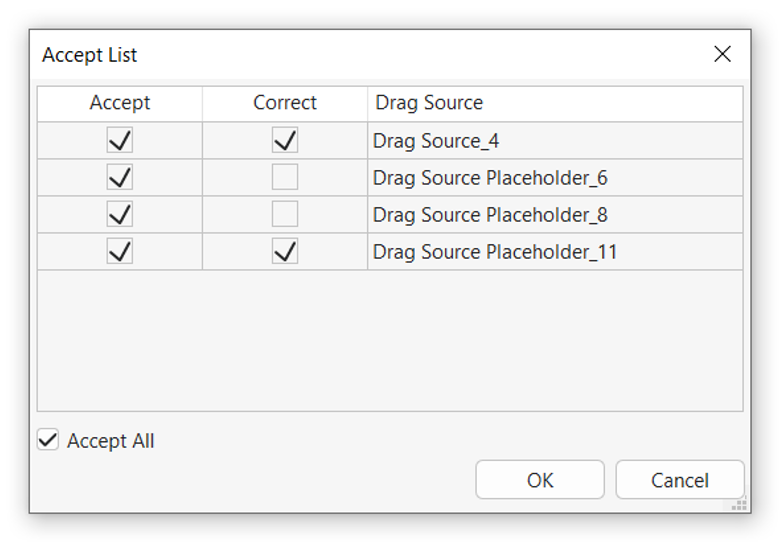
As a temporary workaround, instead of using drag-and-drop connectors, you can set the correct drag-and-drop answers through the Properties pane as follows:
Select the drop area, then go to Properties > Interactivity > Drag-n-Drop > Accept List and define the correct drag sources there.