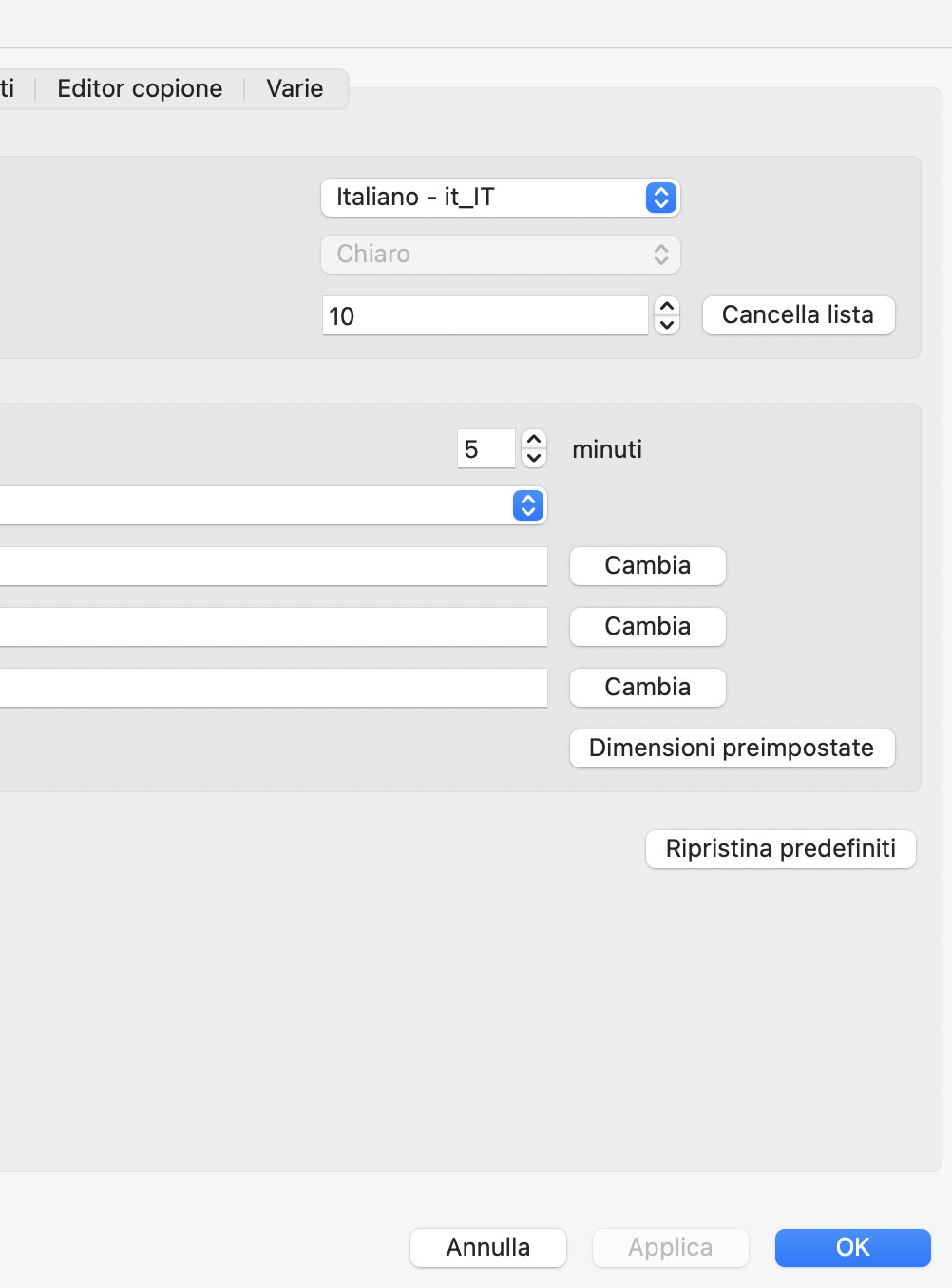
Hi Support Team,
I’m trying to set ActivePresenter to the dark theme, but the button is greyed out and I can’t select it.
Here are the details of my setup and what I have already checked:
• Operating System: macOs Sequoia 15.7.7
• ActivePresenter Version: 10.5.1
• Preferences: I’ve checked the Preferences (the cog icon) on the Home page, but even there, the option to change the display theme doesn’t work or isn’t accessible.
Could you please help me understand why this button is disabled and how I can fix this to enable the dark interface?
Thank you in advance for your help!
Best regards,
On macOS, ActivePresenter follows the system Appearance setting. Therefore, the UI Theme option in ActivePresenter is greyed out and cannot be changed directly in the app.
To use Dark mode, please go to System Settings > Appearance and select Dark.
Then, please restart ActivePresenter to apply the change.
What a pity that the dark interface cannot be set for ActivePresenter only. Unfortunately, I do not like using dark mode on my entire PC; I would have preferred to modify your application exclusively. In fact, with the new interface update, I find that there is very little contrast between the icons and the background, which makes it really difficult for me to see them.