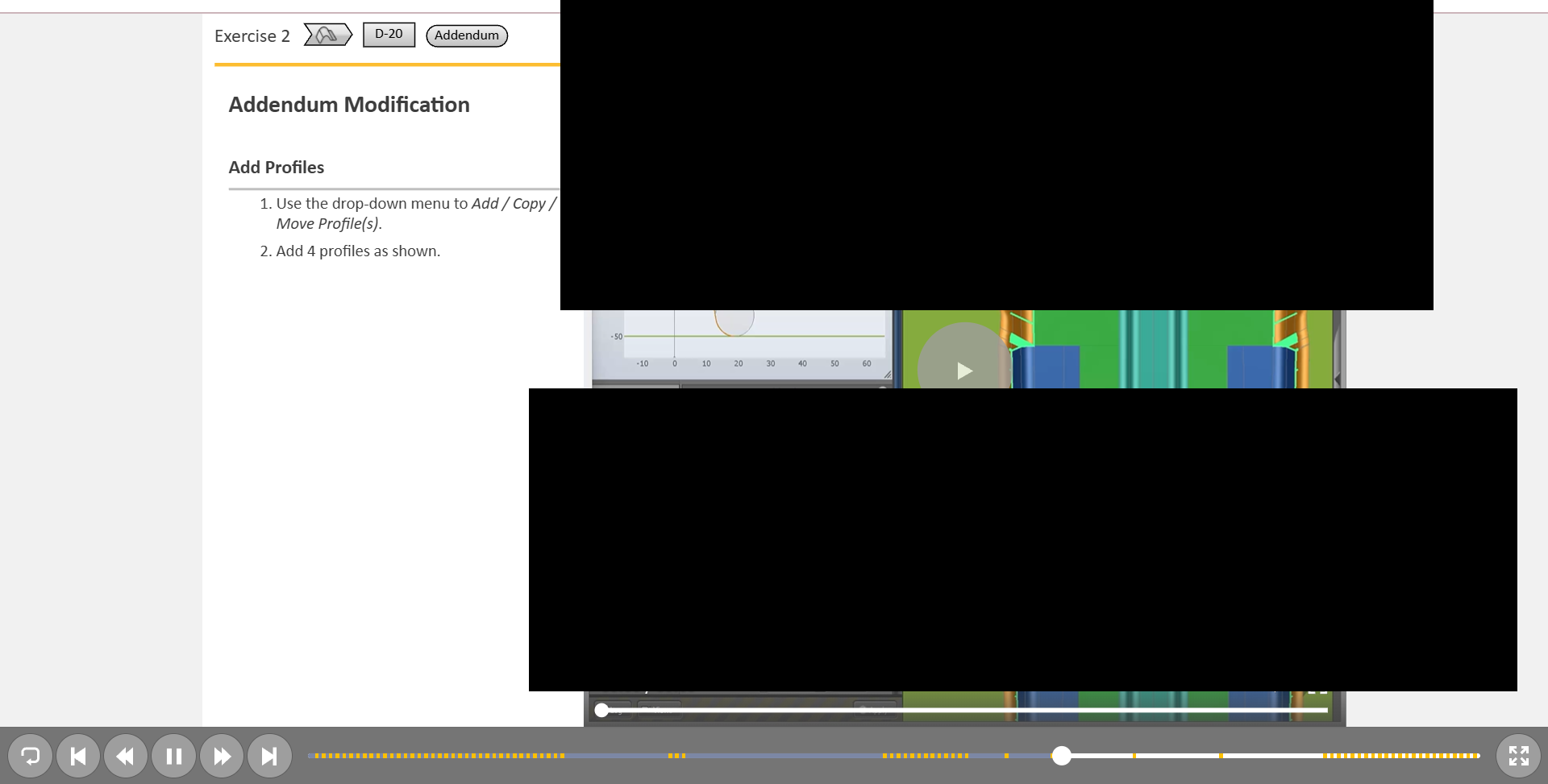
In the attached screenshot, you can see that two toolbars are displayed in the course:
one global toolbar for the overall presentation,
and a second toolbar dedicated to the embedded video.
Visually, this results in a layout that is not very clean, because both toolbars appear simultaneously.
At the moment, the only way to remove the video toolbar is to enable Autoplay. However, this is not ideal for learning purposes: we would prefer the learner to read the accompanying text first, and then manually click Play when they are ready—without having the full video toolbar visible.
Would there be any workaround or configuration that allows us to:
hide the full video toolbar,
but still display only basic Play/Pause controls directly on the video,
without enabling Autoplay?
This would allow learners to control playback themselves while keeping the interface cleaner, using only the main bottom toolbar for the rest of the navigation.
Yes, you can disable the Autoplay and Show Media Control options, then add the following script to the video’s On Click event > Execute JavaScript to achieve that.
// if this JS action is added to video object On Click event:
var videoObject = this;
// or in any case:
// var videoObject = prez.object('video object name');

var player = this.mediaPlayer();
var nativePlayer = player ? player.nativePlayer() : null;

if (nativePlayer) {
    if (nativePlayer.paused || nativePlayer.ended) {
        player.play();
    } else {
        player.pause();
    }
}
Please replace the old code with the new version below to see if it helps?
// if this JS action is added to video object On Click event:
var videoObject = this;
// or in any case:
// var videoObject = prez.object('video object name');

var player = this.mediaPlayer();
var nativePlayer = player ? player.nativePlayer() : null;

if (nativePlayer) {
    if (nativePlayer.paused || nativePlayer.ended) {
        player.play();
        prez.pause(false);
    } else {
        player.pause();
        prez.pause();
    }
}