I have a question regarding the Drag-and-Drop Question type in ActivePresenter. After inserting this question type into my slides, I noticed that the drag source only accepts images.
Is it possible to use a video as a drag source instead of an image? If yes, could you please explain how to set it up? I tried but couldn’t find any option for it.
Currently, the drag source in Drag-and-Drop questions only supports objects such as images, shapes, and text.
Videos cannot be used as drag sources in the Drag-and-Drop questions at this time.
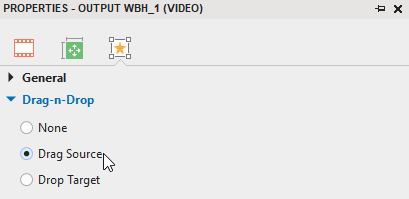
If you want to set up videos as drag sources, you can try using Drop Area in the Insert tab.
Then, select your video and set it as a drag source.
I need to use the Drag-and-Drop Question type. I would like to ask if the following scenario is possible:
When a drag source is dragged and dropped onto a target, a video should automatically appear exactly at the dropped position (same X and Y coordinates where the drag source was released).
In other words, depending on which target the drag source is dropped on, a video will be shown at that specific location.
Is this possible to achieve in ActivePresenter? If yes, could you please guide me on how to set it up?
You can add the following scripts to each Drop Target. Make sure that you set up the correct names for the video objects and drop target objects.
var dragObj = prez.object("Drop Target Placeholder_5"); //Drag Target object name
  var videoObj = prez.object("Video_001"); //Video object name

  var leftObj = dragObj.left();
  var topObj = dragObj.top();

  videoObj.show();
  videoObj.left(leftObj);
  videoObj.top(topObj);
Thanks again for your help. I’ve followed your instructions and also attached a sample project file for you to check.
What I actually want is for the video to take the exact position of the drop target. In the sample project you’ll see that the video object shows up a bit to the left and above the target instead of aligning exactly. I haven’t been able to fix this yet.
Hi PhuongThuy_Le,
That worked perfectly! Thank you so much for taking the time to guide me through this — your solution completely solved the issue. I really appreciate not only the fix itself, but also the clear way you explained everything.
 Thank you so much for taking the time to guide me through this — your solution completely solved the issue. I really appreciate not only the fix itself, but also the clear way you explained everything.