Hello,
I am experiencing a severe issue where my project (ActivePresenter 10) has stopped updating the thumbnails when making stuff visible or not and even the preview or the html 5 export doesnt include those changes. Regardless of the changes I make, both the Preview (HTML5) and the final Export show an outdated version of the project.
Current symptoms:
-
Thumbnail Sync Issue: When I hide a slide or delete an object, the slide thumbnails in the left-hand Navigator do not update. They still show the old state.
-
Export/Preview Mismatch: Even after a “Hard Reload” (Ctrl+F5) in the browser, an Export to a completely new folder, or a “Save As” to a different local directory, the output still contains objects I deleted or follows old interactivity logic (e.g., a slide still auto-advances on click despite having no events).
-
Persistence: The issue persists after restarting the program, restarting the computer, and clearing the browser cache as well as saving the project under a different name.
I experienced the issue while trying to fix another one: Some slides were skipping to the next slide instead of letting the user anwering the question first or clicking the next button, some slides didnt act in this weird way.
What I have tried so far:
-
Hard Reload: In Chrome/Edge and clearing cache.
-
Exporting: Exported to HTML5.
-
Save As: Saved the project under a new name in a local directory (C:)
-
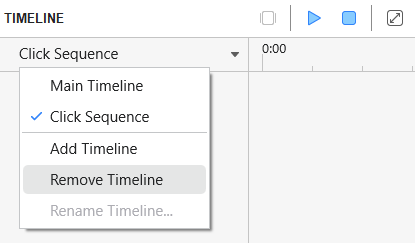
Hiding Objects: Toggling the “Visible” property in the properties pane and the eye-icon in the timeline.
It seems like ActivePresenter is stuck using a cached/temp version of the project and refuses to write new data to the .approj file or the export directory. But the cache folder under C:\Users\User1\Documents\ActivePresenter.CachedProjectsis empty
System Info:
-
OS: Windows 11
-
ActivePresenter Version: 10
Has anyone encountered this “caching” bug or slide skipping bug before? Is there another specific temporary folder I should manually clear to force a re-render of the project?
Thanks in advance!