Problem: When I try to export or preview my file i get an error stating it could not export audio (or image or video) If I save and reopen the file, I have to recreate the images/audio but only some and it is not consistent. Sometimes it is one file, sometimes it is another one and they were all created in the same manner and imported. They work fine in the program on the timeline view but when I export or preview they get ‘lost’.
ActivePresenter version: Version 9.3.0 - 64-bit build. (Released: 2025.04.08)
OS: Windows 11
Notes: I am on the free version in TRIAL mode with full Pro Features. I only downloaded yesterday so my trial is still Active. I LOVE the software (I have a background in Articulate Storyline and this is very similar!) If I can sort out the issues, I will be getting a full subscription but can’t make the investment until I know I can get the results I need. Thank you!
Regarding the exporting issue you’re experiencing in ActivePresenter, please try the following steps first to see if they resolve the problem:
Add ActivePresenter to the allowed list of your antivirus software (e.g., Avast), as it might be incorrectly blocking the application.
Make sure the project file name follows Windows naming conventions (e.g., not too long).
Open, edit, and save project files on your local computer, not on the network drive.
Double-check for any corrupted media files in your project and replace them.
If these suggestions don’t help, please share the following files to support@atomisystems.com so we can investigate further:
The log of ActivePresenter. To view the log, click ActivePresenter > Preferences… > Miscellaneous > View Log.
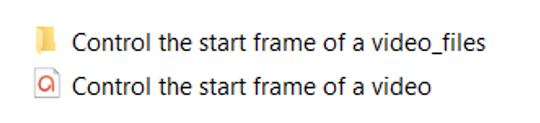
The project file which has the issue and its external data folder named in the pattern PROJECT_FILE_files (if any). If the files are large, you can upload them somewhere (such as Google Drive or DropBox) and share the link with us (support@atomisystems.com).
The project file and its external data folder should looks like this: