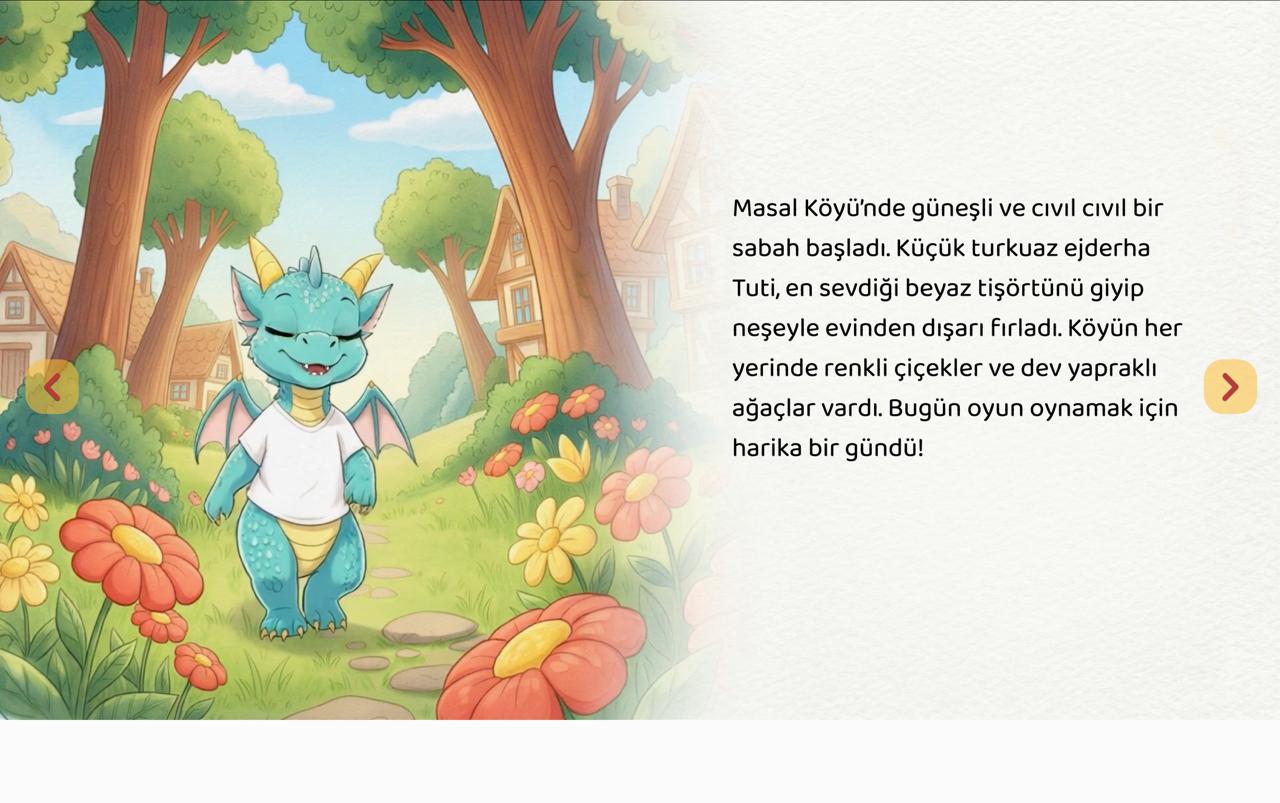
I’m using a 1920x1080 resolution image, but when I import it from Scorm or HTML, there’s a blank space at the bottom. Why is this happening? The file is attached.
1 Like
1 Like
I sent an email to your email address.
@Hang
1 Like
Hi,
I’ve checked your project file and didn’t find anything unusual that would cause this issue.
The blank space appears because the available display area (the browser’s inner size, or the iframe size if the content is embedded) has a different aspect ratio than your 1920×1080 presentation. To prevent distortion and keep the correct aspect ratio, the player cannot stretch to fill the entire space, which results in blank areas.
To handle this more appropriately, please go to:
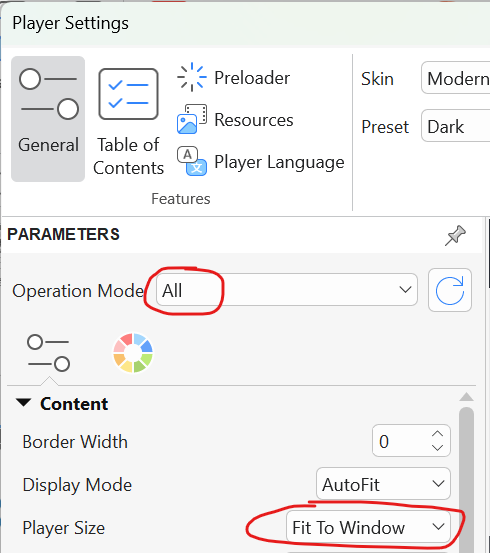
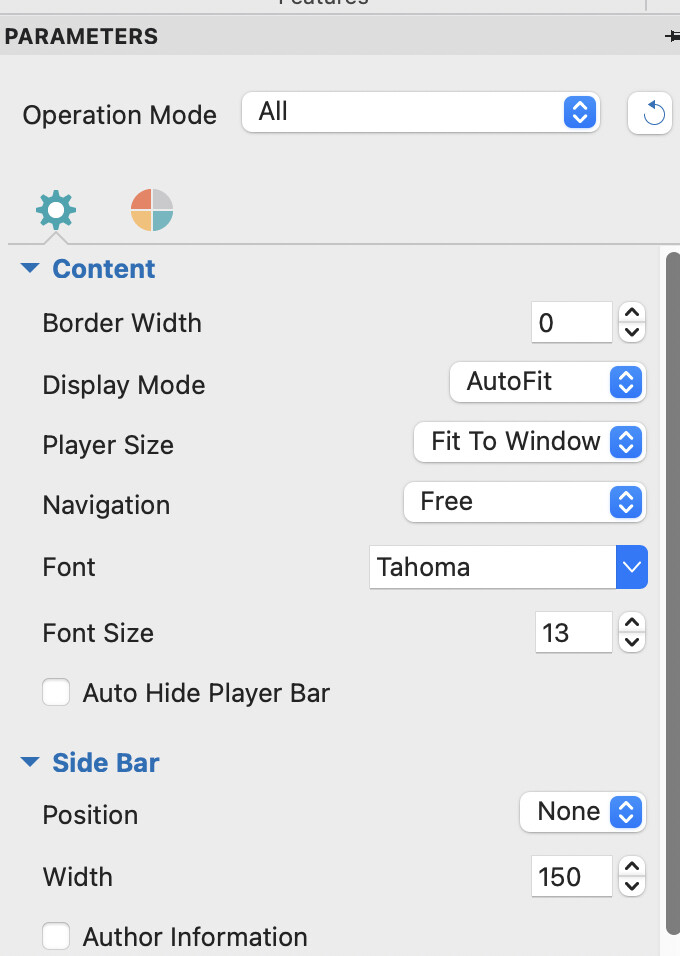
Export > Player Settings > General > Player Size, and set it to Fit to Window.
With this option, the presentation will be centered within the available space, and you may see equal blank space at the top and bottom (or left and right) when the aspect ratios differ.
Regards
Hi,
When the player is set to Fit to Window, the content should appear like one of the three images below, depending on the aspect ratio of the presentation container.
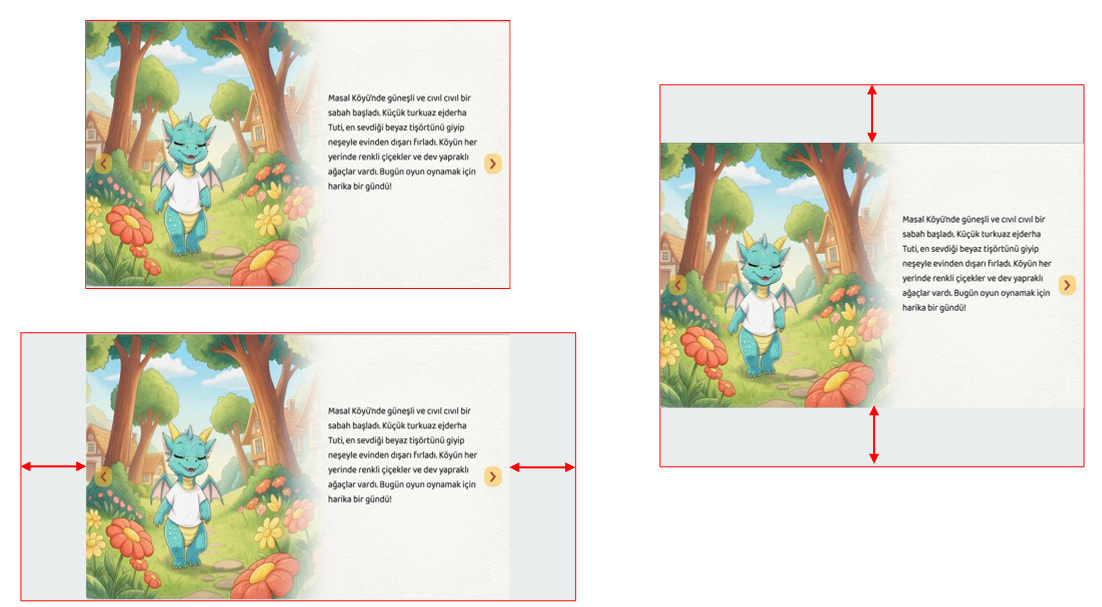
If you see a gap only at the bottom but not at the top, it likely indicates a layout issue with the LMS. You can provide us with live access to the presentation on the LMS so we can investigate further.
Regards
I sent you the project file. Also, I didn’t understand if I need to upload it via the LMS system and give you access to it?
Hi,
After setting the player to Fit to Window, the project content is aligned correctly on our side.
If it doesn’t work for you, it may be related to the LMS/server where you host the presentation, so I asked you to provide live access for us to check.
However, you can narrow down the issue yourself. For example:
- Check whether the problem occurs when previewing in a browser from ActivePresenter (Export > HTML5 Preview).
- Create a simple project with the same dimensions and see whether the issue still happens.
Regards
I did what you said, but there’s still space at the bottom. If you want, I can upload it to an LMS system and share the user information with you?
Hi,
First, please make sure Fit To Window is set to all modes as shown in the screenshot below:
You mentioned there’s still space at the bottom. But is there also space at the top?
If the space at the top and bottom is equal, then this is normal behavior as explained earlier.
If the space appears only at the bottom, please help clarify:
- Does it also occur when previewing from ActivePresenter (Export > HTML5 Preview)?
- Did you try testing with a simple project using the same dimensions?
If the issue occurs even in HTML5 Preview, please provide a full-screen screenshot including the entire browser window.
If it only occurs after uploading to your LMS, please upload it there and share the user access information with us via our support email so we can check directly.
Regards
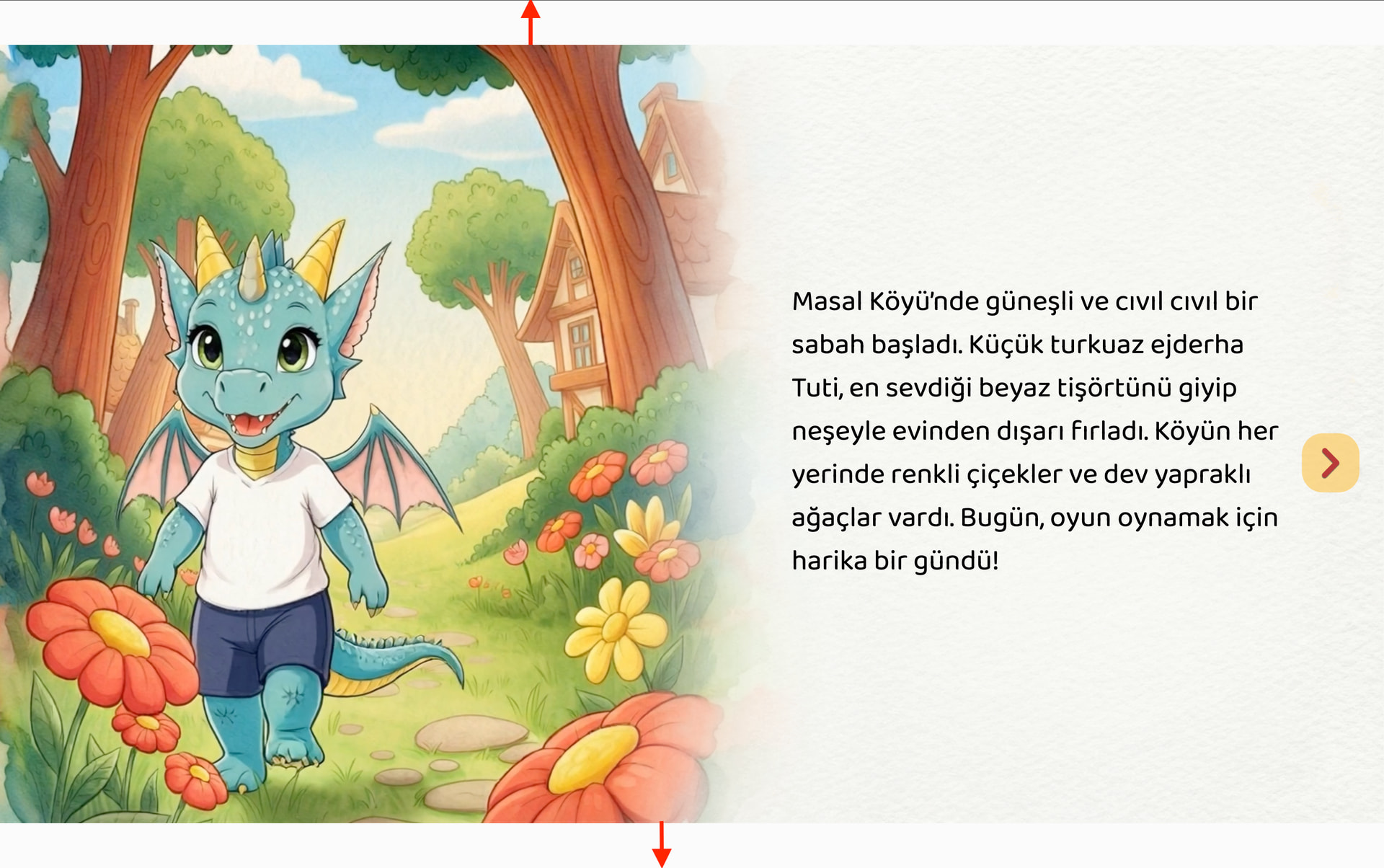
Your screenshot shows equal blank spaces at the top and bottom so this is normal behavior.
Regards