Problem:
Hi,
I am trialling AP10 before I buy.
I’m hoping someone can help me with an issue I’m having in ActivePresenter 10.
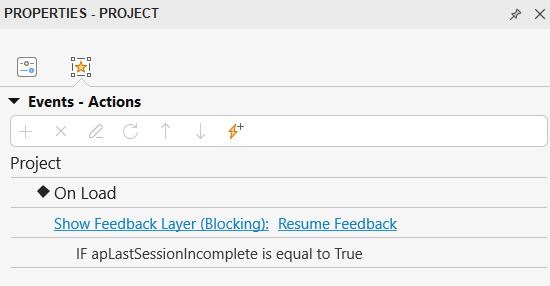
I’m building an interactive video (video + MCQs) and everything works except for one thing: every time the HTML5 package loads—whether I preview it locally or embed it in Articulate Rise—I always get the “Resume / Restart” popup. I don’t want learners to see that prompt at all. I need the video to just start playing immediately.
I checked all the project and export settings, but I couldn’t find any option to disable resume for HTML5 export (unless I’ve missed something). I also tested different modes (Demonstration, Tutorial, Practice, Test), but the resume dialog still appears in all of them.
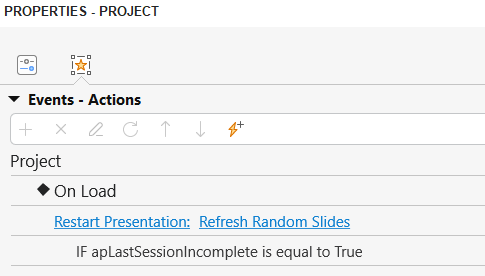
While digging through the exported files, I discovered that the popup is actually a dedicated slide called “Resume Feedback” inside rlprez.js. As a test, I removed the corresponding block of code manually from rlprez.js, and that did successfully remove the resume dialog and let the video run cleanly from the start. So at least now I know the source of the behaviour.
However, manually editing rlprez.js obviously isn’t ideal. It would be great if there was:
A built-in option to turn off session resume / disable the resume prompt, or
A way to tell AP10 not to include the “Resume Feedback” slide in the exported HTML5 package, or
(If neither of those exist) a feature request to allow users to disable it for interactive video workflows.
This would be especially useful when embedding AP10 content inside other platforms (like Articulate Rise), where resume prompts can conflict with the host environment or confuse the user experience.
If anyone knows of a setting I’ve missed, or a recommended way to disable the resume/restart window without manually editing the player files, I’d really appreciate it.
Thanks!
ActivePresenter version: AP10
OS: Win10
Notes: