Problem:
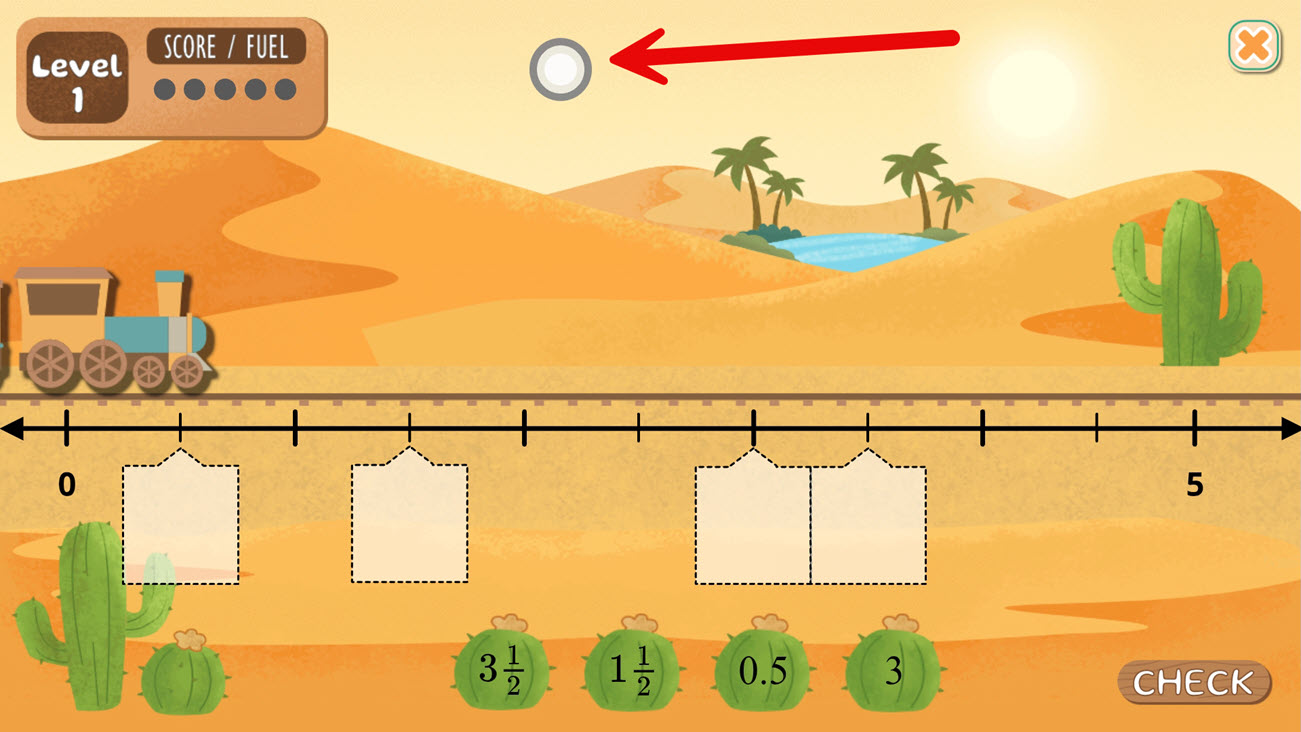
I have one ActivePresenter project in which I got a draggable dot in my exported HTML. Does anyone know how to turn it off?
ActivePresenter version: 11
OS: Windows 11
Problem:
I have one ActivePresenter project in which I got a draggable dot in my exported HTML. Does anyone know how to turn it off?
ActivePresenter version: 11
OS: Windows 11
Hi Koen,
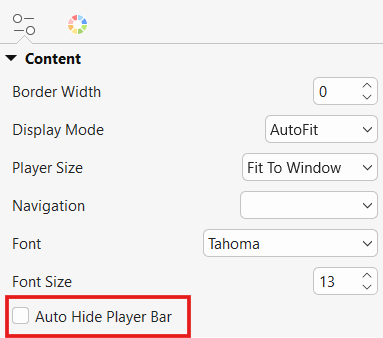
That draggable dot usually appears when Auto Hide Player Bar is enabled. Please go to Export tab > Player Settings and uncheck Auto Hide Player Bar, then export the project again.
Regards,
Thanks so much for that!
What is the purpose of the dot?
Thanks!
This dot allows you to show the Player Bar when it is automatically hidden on small screen devices.