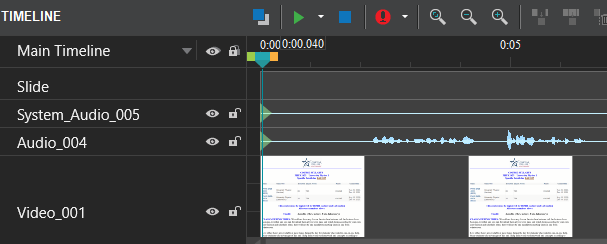
I’m new to Active Presenter 9. How do I join the System Audio, Audio, and Video objects into one video object on the editing timeline. I’m not merging multiple videos into one video, I’m combining–what appear to be separate—components of one video into one video that I can edit. So I have this:
Unfortunately, ActivePresenter doesn’t offer a direct way to merge video and audio into a single track in the Timeline pane. However, as a workaround, you can export the slide (or the entire project) to video, and then re-import that video back into ActivePresenter.