Problem: This isn’t a new problem, but I keep running into it today.
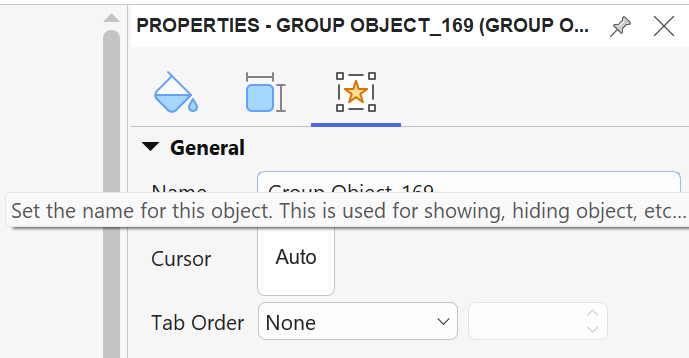
As you can see in the image below, the hint is displayed almost on top of the box where I’m trying to type. The issue is the same on my 14" laptop screen as on my 27" screen, so I asumme it’s bothering more people than just me.
It would be wonderful if the box could just be slightly moved down, or if it could be turned off. After using ActivePresenter for more than a decade, I don’t need the hint anymore 
Thank you!
ActivePresenter version: 10.6.1
OS: Windows 11
Notes: