I’m not a programming expert, but I’d like to share a small discovery I made with ActivePresenter.
I realized that in JavaScript, you can access individual objects within a group of objects named groupOfObjects, for example using the command groupOfObjects.children[pos], where pos is the position of the object in the group.
For example:
groupOfObjects.children[0].hide() hides the first object in the group;
groupOfObjects.children[4].show() displays the fifth object in the group.
This gave me some ideas for possible uses, such as easily creating slideshows by simply grouping images. It’s much faster than using object states.
In fact, you just need to group the images—however many you want (2, 10, or 100)—run the appropriate JavaScript commands, and everything works automatically.
This also works by grouping groups of objects, something that cannot be done with object states.
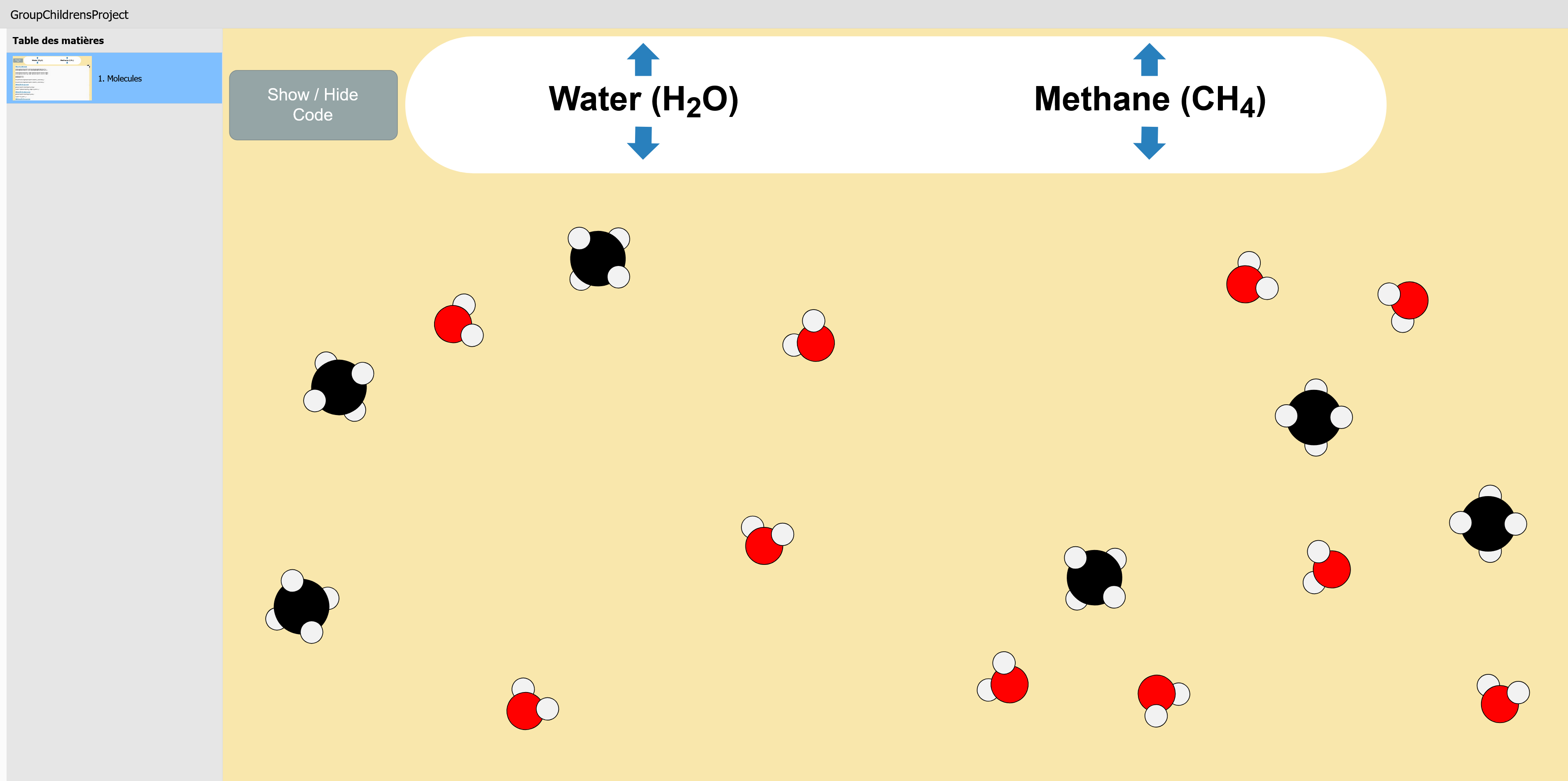
I’m attaching an example to make it easier to understand
: the molecules shown are groups of objects grouped together within another group.
@Jo_Jo- You can show or hide a group by using the name of the group directly as well. This could help you to minimize some code.
For example - you have a group of five circle shapes to create the methane molecule.
Suppose we group them and name the group methane1
Now you can show/hide the group using
prez.object("methane1").show();
prez.object("methane1").hide();
As you’re aware - you can also integrate a variable - let’s say molNum - to represent the number of your molecule and create several of the methane molecules named methane1, methane2, methane3, etc. This is similar to using the position in the array but through your naming convention instead.
Increment your variable and show the next or decrement your variable and hide the previous.
You can also do the same for an individual element within the group by using the name directly. This might allow you to show and hide the individual hydrogens. I like to recommend always being mindful to give your objects meaningful names.
I can appreciate how much digging via the console you may have done to discover what you did.
Nice job! This could have some advantages over the similar above method in some circumstances.
Thank you very much, Greg, for your constructive feedback, and I’d like to tell you that I really appreciate your work.
As for me, what I was specifically looking for was a way to avoid having to rename all my objects, and instead simply duplicate and group them.
If I have 500 molecules, for example, I can’t imagine renaming them one by one as molecule1, molecule2, … molecule500. That’s one of the advantages I see in using the method I proposed.
What do you think of creating a molecule such as your methane using a tool like PowerPoint - grouping it there and saving it as an image?
You can bring in that image and duplicate it. I suggest this at the thought of 500 molecules.
500 methane molecules would be 2500 objects!! At least if you replicate the images it is just 500 objects. My fear is in how the project would respond to so many objects on screen. Even 500 would be a lot. I don’t know if there is a suggested limit there and I’ve not had a project with that much demand on one slide but it would be a consideration for me.
I completely agree with you, and I could have simply used a single image of molecules and duplicated it.
In fact, I chose to do it this way to show the advantages of this method over object states, which do not allow you to manipulate groups of objects.
Rest assured, I won’t go as far as 500 molecules
I really wanted something that would work in all situations. Imagine I create a slideshow made up of images of flowers (let’s say 30 flowers). I group these images into an object named slideshow and write my code.
Now suppose I want to create another slideshow made up of cars (let’s say 20). All I have to do is take the flower slideshow, copy it, delete the flowers, and group the car images into a group still named slideshow, and it will work just as well.
Another example that would concern you:
In your project “Fun With the Scroll Wheel”, you could change the number of shapes without specifying their number to ActivePresenter. You could simply use 10, 20, or 30 shapes without changing anything in your code.
With your permission, by reusing a bit of what you’ve done, I could try it out just to see if it works.