afei
November 1, 2021, 12:52am
1
Problem: Group keyframes and assign Easing?
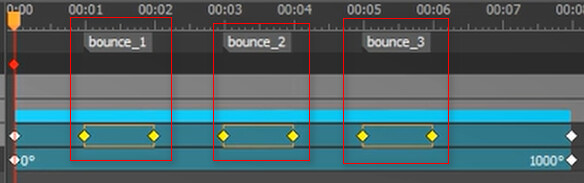
Notes:Easing Methods in Saola Animate ” [00:01:48]3 keyframe groups with 3 different Easing .
Q ) How can I group specified keyframes then give it a different Easing ? is there a related article iink?
Thank you very much,
HaiYen_Vu
November 1, 2021, 7:28am
2
Hi Afie,
I hope this video can answer all of your questions:
For further reading, please take a look at:
Today’s tutorial describes how to create motion paths in Saola Animate 3 to mimic real-life motions, giving objects the illusion of life.
Est. reading time: 9 minutes
Regards,
1 Like
afei
November 1, 2021, 8:06am
3
Thank you for your detail reply,
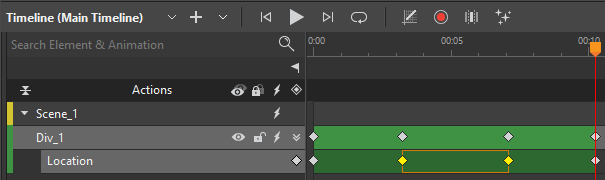
Q) my keyframe segments looks as below (I felt the outline of selected segment is not so clear for me):
Thank you very much,
HaiYen_Vu
November 1, 2021, 8:19am
4
Hi Afie,
Kindly take note that the bar color is displayed randomly.
There is not manual setting at this version, unfortunately.
Regards,
1 Like
afei
November 1, 2021, 8:35am
5
Wow,
Regards,
 !
!