Hello ActivePresenter Team,
Currently, ActivePresenter allows opening multiple projects at the same time, but it is not possible to view them side-by-side within the application. Users can only switch between projects using tabs or the window menu.
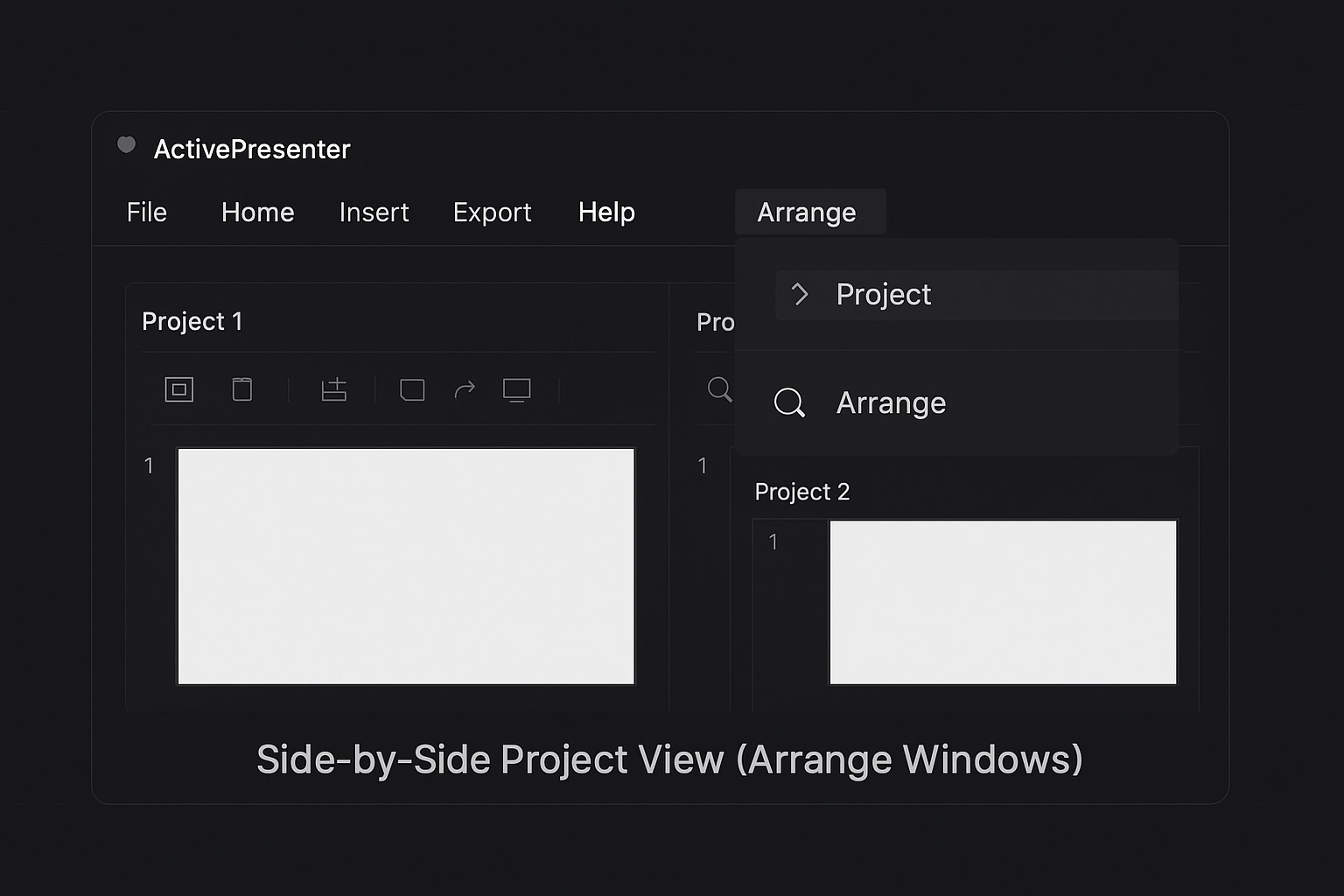
Suggested Improvement:
Add an Arrange Windows option (similar to other professional software) that allows two or more projects to be displayed simultaneously within the interface. Possible arrangements could include:
- Side-by-Side View – Two projects open next to each other horizontally or vertically.
- Tile View – Multiple projects arranged automatically to fit the workspace.
Benefits:
- Easier comparison – When making updates or reviewing changes between projects.
- Faster revisions – Users can copy settings, actions, or design elements by visually referencing the other project without constantly switching.
- Improved productivity – Reduces errors when manually replicating changes between projects.
Example use case:
When updating a series of training modules, I often need to replicate detailed actions and settings from one project to another. Without a side-by-side view, I must switch between projects repeatedly, slowing down the process. A side-by-side or tiled arrangement would make this much faster and more accurate.