What I would like to achieve is fade-out and -in effects with background music. Say, Song A runs from 1 to 10. Slide 11 starts with Song B. The idea would be to have a short slide 10 that is just used for fading out Song A and then fade in song B at the start of slide 11. It seems that once I have made Song A background music, however, I cannot manually fade it out anymore. As a consequence, the transition is always very abrupt. I assume there must be a JS way of doing that - I do not know how, unfortunately.
Ideal would be a crossfade, i.e. on load of slide 11, fade out whatever song is playing at the moment, while fading in a new song. Can this be done?
The project seems to work, it crossfades the two audios on slide 4, but I do not see how that is happening. Apart from slide one all slides seem identical to me.
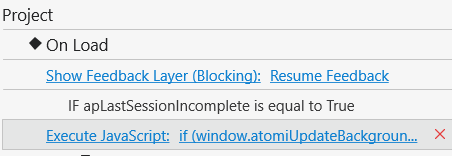
Also: I only see one command in the Exececute JS: atomiUpdateBackgroundMusic();
That’s why all slides look identical — the fade logic runs globally at project level, not on individual slides.
The atomiUpdateBackgroundMusic(); line you see is just the default command. The actual crossfade behavior is handled by the script added in the Project On Load event.