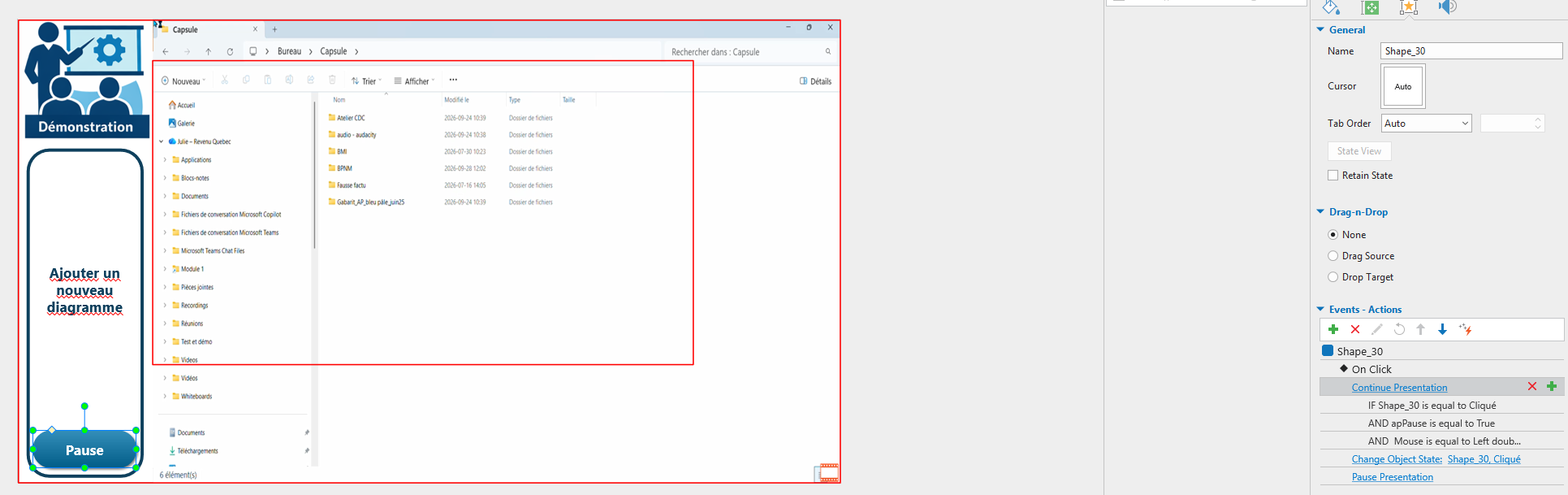
Problem: I want a bouton inside the slide to play/pause presentation
ActivePresenter version: 9.1.0
OS: Windows
Notes: It’s a demo slide. A video starts and show what to do. Then the user press the pause bouton and go do the action. When the user is ready he push the continue buton. It pause, but won’t start over. The auto avance for the slide is uncheked. There a possibility that the player wont have play/pause option.
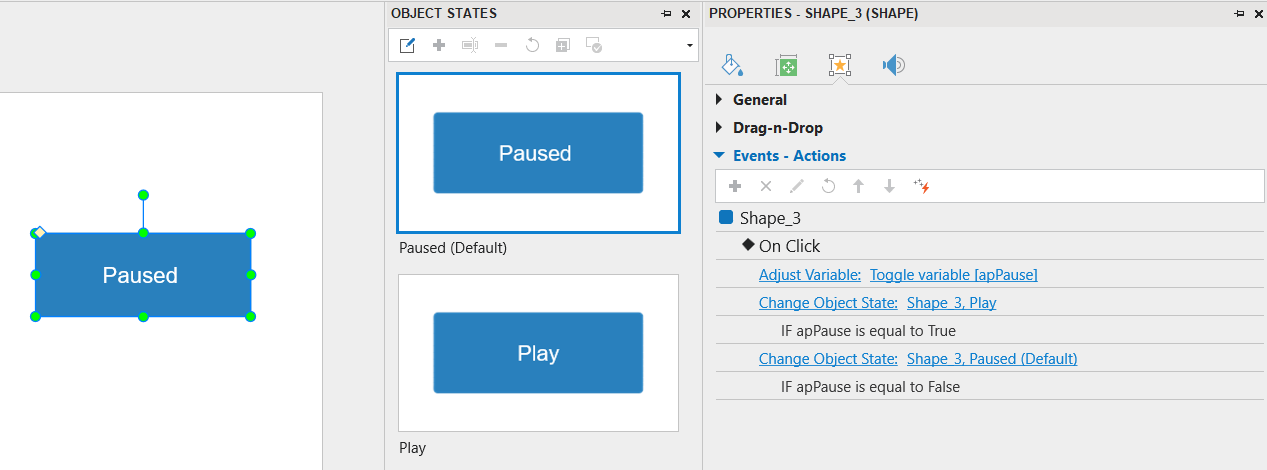
This allows the same button to switch between Play and Pause with each click.
Please note that this method does not work in Demo mode. Since you mentioned that this is a demo slide, please make sure the slide is not in Demo mode when using this method.
Also, ActivePresenter 10.6.1 is now available. You can update to the latest version to explore the new features and improvements.