Cannot Add Objects to an Existing Group

Hello,

We are experiencing an issue in Active Presenter 10 when working with grouped objects.

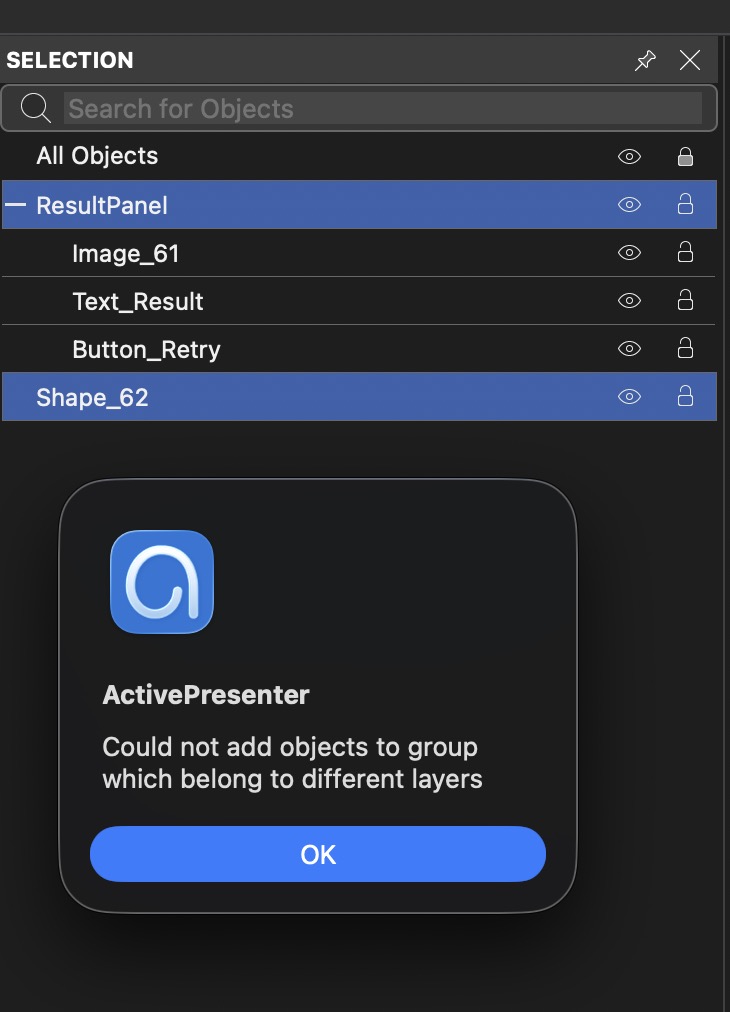
After creating a group, we are unable to add additional objects to the existing group. The following error message appears:

“Could not add objects to group which belong to different layers.”

All affected objects are part of the same drawing, but it appears that the software prevents grouping objects that are located on different layers.

Currently, the only workaround is to ungroup all objects and recreate the entire group, which is very time-consuming.

Could you please clarify:

  • Is this expected behavior or a known issue?

  • Are there any recommended workarounds or software updates that address this problem?

Thank you for your assistance.

As shown in the attached screenshot, I am trying to add the object named Shape_62 to the group named ResultPanel, but the operation fails with the error message mentioned above.
Hi Alice,

Thank you for reporting the issue.

This seems to be an unusual case. Normally, grouping is only limited between regular objects and objects shown over multiple slides.

Could you please send us a project file that contains only the affected slide to support@atomisystems.com so we can check it further?

Best regards,

Giang

1 Like

I upgraded to the latest version and can confirm that the issue has been resolved. Thank you very much for your support and for fixing it so quickly.

You are an amazing team. We love what you do and really appreciate your dedication to making ActivePresenter better with every release. Thank you!

:heart:

Thank you for your kind message.

We’re really happy that the issue is fixed after the update. Your appreciation means a lot to us, and it’s always encouraging to know that our work helps make your experience with ActivePresenter better.

Thank you again for your support.

Best regards,

1 Like