When I play back a screen recording, AP 10 will freeze on my Win 11 laptop after a couple of minutes, and I have to force a close and re-open again. I have uninstalled and fresh install without success. I have also tried running as Administrator without success.
Hi,
Please send the following files to support@atomisystems.com so we can investigate further:
-
ActivePresenter log file: Go to File > Preferences > Miscellaneous > View Log to locate it.
-
The project file that is experiencing the issue, along with its external data folder (if any), named in the format PROJECT_FILE_files.
If those files are large, you can upload them to a cloud storage site like Dropbox or Google Drive and share the download link to us.
Best regards,
Good day, I have sent the email. Were you able to investigate yet?
Hello Danie,
Please check these two checkboxes (On Start Page > Preferences (the gear icon) > Miscellaneous) to see if it helps:
- Select the Always use software decoders for decoding video option.
- Select the Use software rendering instead of GPU rendering option
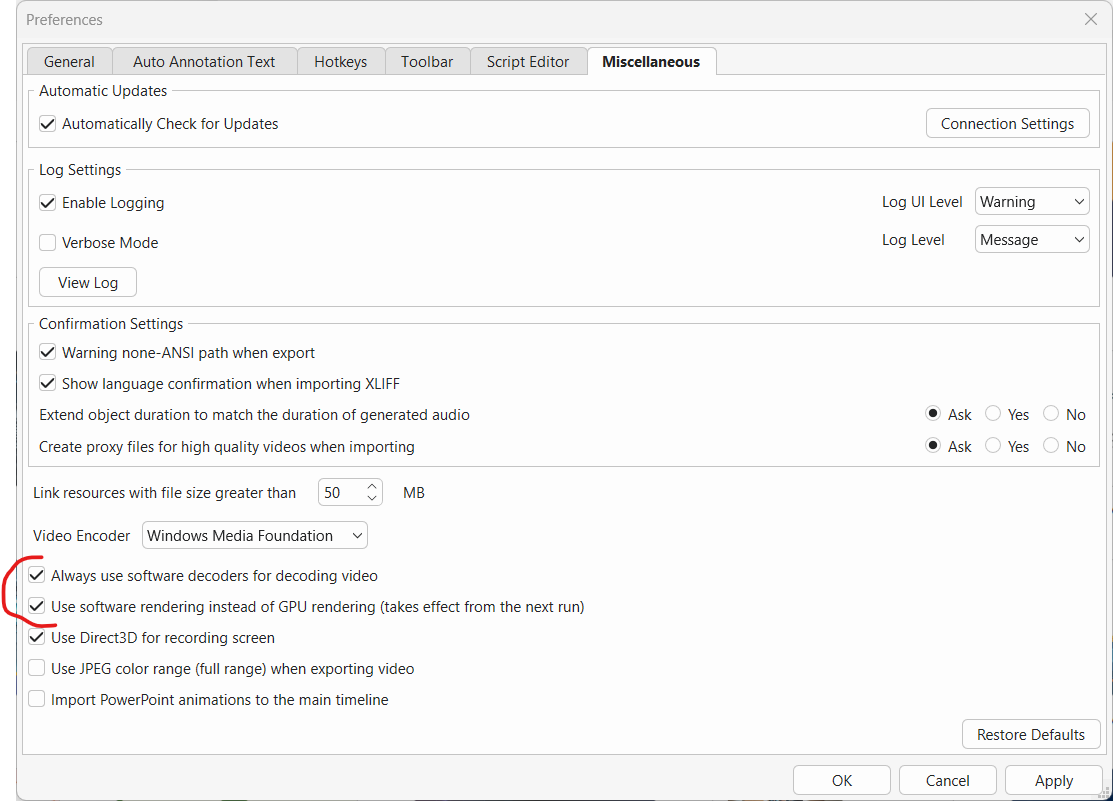
Regards,
Thank you very much. This looked like it did the trick. I also tried reinstalling version 9, but that also did not work until I used your suggestion. It worked on both version 9 and 10.
1 Like