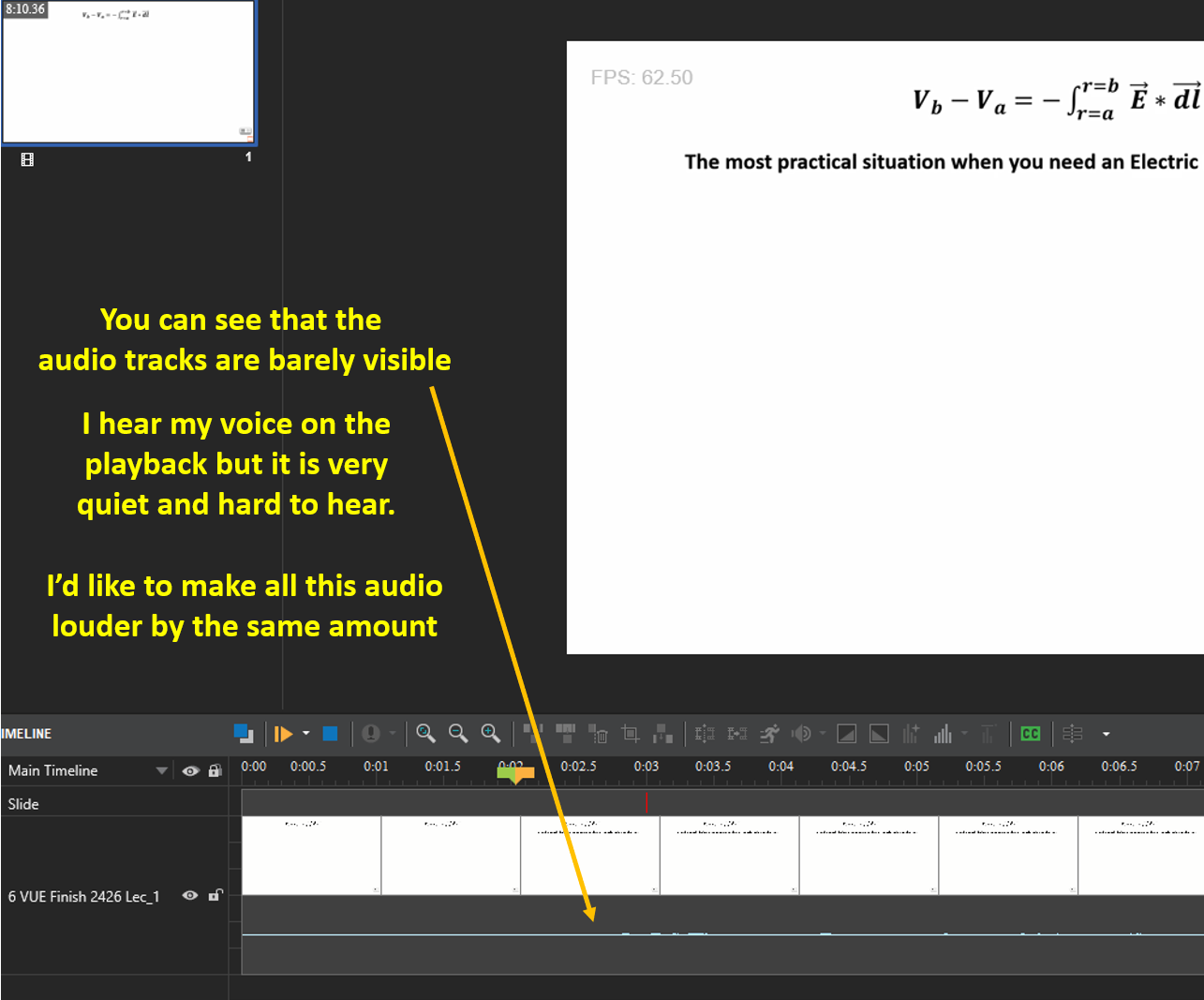
I inserted a video where the volume looks to have been set too low. You can tell because the audio tracks have minimal amplitudes in the screenshot below. I hear my voice on the playback and I hear everything I wanted to say in this prior video but it is hard to hear. Is there a way to boost the volume of the overall audio component of this video without having to re-record the presentation in a louder voice?
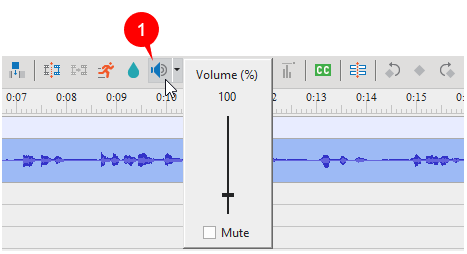
You can select the video track > click the Adjust Volume button (1) in the Timeline pane.
Then, drag the slider up or scroll the mouse wheel up to adjust the desired audio volume.