Problem: I am unable to locate a resources tab in AP 10.5 Pro
ActivePresenter version: 10.5 Pro
OS: Windows 11
Notes: I want to add an Excel file to a presentation that students can download and edit from within a scorm package. I am unable to determine how to do this. Can someone help?
You can let students download the Excel file from the SCORM package and edit it on their computers. However, they cannot upload the edited file back to the course because SCORM does not support that.
To let learners download the file, you can use one of the following methods:
1. Add a Hyperlink
Select the text that you want learners to click.
On the Home tab, click Insert Hyperlink.
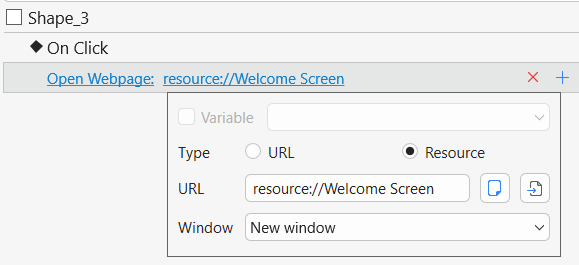
In the Insert/Edit Hyperlink dialog, select Resource.
Choose an existing resource from the project or add the Excel file from your computer.
Click OK to apply the hyperlink.
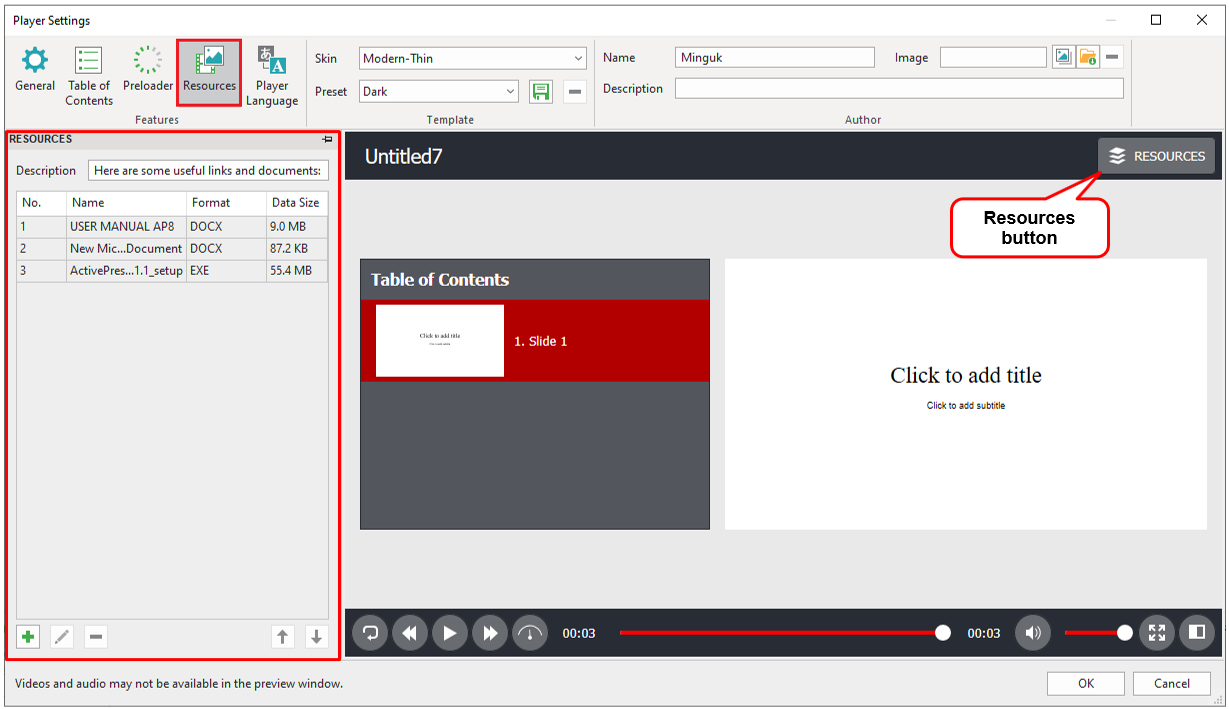
2. Add the file to the Player’s Resources tab
Go to Export > Player Settings > Resources.
Add the Excel file to the resource list.
After publishing, learners can access and download the file from the Resources tab in the player.
Thank you SO much! I wish I had asked this question a week ago instead of struggling with it all week. I appreciate the response. I am new to AP and am enjoying learning its capabilities.